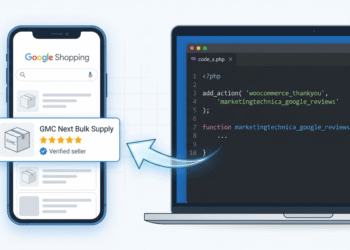




The Invisible Conversion Engine: Mastering Google Shopping’s Quick View Architecture
In the high-stakes world of e-commerce, the distance between a “click” and a “sale” is measured in milliseconds and pixels. For years, digital marketers focused solely on the Product Title and Price. But in 2026, the battleground has shifted. Google’s “Quick View” overlay—the rich information card that appears when a user hovers over or clicks a Shopping ad—has become the ultimate gatekeeper of conversion.
When a customer views a technical product, they aren’t just looking at a price tag. They are looking for technical validation to justify the purchase.
Section 1: The Anatomy of the Quick View Card
The Quick View card is not a static image; it is a dynamic rendering of your Product Feed. It pulls from four critical technical attributes that most merchants leave empty:



- Product Highlights (
product_highlight): The short, punchy bullet points at the top. - Product Details (
product_detail): The technical “spec table” that appears under “View Details.” - Lifestyle Annotations: The secondary images that show the product in a real-world context.
- Trust Signals: Shipping speeds, return policies, and merchant badges.
If these fields are missing, Google displays a hollow card with white space. This lack of data creates “friction,” forcing the user to leave the Google ecosystem to find answers on your site. In modern Conversion Rate Optimization (CRO), friction is the silent killer of ROAS.
Section 2: Technical Optimization of Product Highlights
The product_highlight attribute is a string of text (up to 100 characters per highlight) that Google uses to fill the “About this product” section. For technical products, the highlights shouldn’t be “salesy.” They must be attribute-driven.
- Lower Quality Highlight: “A very strong and durable paving grid.”
- Technical Optimized Highlight: “1,000 Tonne/sqm load-bearing capacity (filled).”
By providing quantifiable data, you trigger Google’s internal relevancy algorithms. Google’s AI understands that a user searching for a specific performance metric is a perfect match for a product with a high-accuracy highlight.
Section 3: The Power of the product_detail Attribute
While highlights are for the eyes, product_detail is for the machine. This attribute allows you to provide technical specifications that don’t fit into the standard title or description. Consider a drainage aggregate product; a technical feed uses product_detail to specify:
- Section Header: Material
- Attribute Name: Shape
- Attribute Value: Rounded (No Fines)
This allows Google to categorize your product with extreme precision. If a user filters their search by “Material Type,” your product will stay in the results while your competitors’ unoptimized feeds disappear.
Section 4: AI-Generated Lifestyle Imagery & Policy Compliance
One of the most significant shifts in 2026 is the use of AI to generate Lifestyle Images. Google’s “Product Studio” and third-party tools allow merchants to take a “floating” product shot and place it in a high-end setting.
- Technical Tip: Always host your lifestyle image in the
additional_image_linkcolumn. - Policy Note: Ensure your images maintain IPTC metadata. Google uses this to verify that while the background might be AI-generated, the product remains a faithful representation of the physical item.
Section 5: The “Quality Score” Feedback Loop
Why does this technical work matter for your bottom line? It comes down to Ad Rank. Ad Rank = Max Bid × Quality Score.
By filling out highlights and details, you increase your Expected Click-Through Rate (eCTR) and Ad Relevance. When Google sees that users spend more time interacting with your rich “Quick View” card than a competitor’s basic ad, they reward you with a lower Cost-Per-Click (CPC). You are essentially getting a “data discount.”
Section 6: Implementation Roadmap for Dev Teams
If you are managing a large-scale feed, manual entry is impossible. You must automate the mapping of your CMS (Shopify, BigCommerce, Magento) to these specific GMC fields:
- Map Metafields: Create custom fields for “Key Specs.”
- Regex Cleaning: Use regular expressions to strip unnecessary HTML from descriptions to auto-generate highlights.
- Supplemental Feeds: Use a Google Sheet as a “Supplemental Feed” to test rich data on your top 20% of “Hero Products” before rolling it out sitewide.
Conclusion: The Data-First Future
The era of “set and forget” Google Shopping feeds is over. To win in 2026, you must think like a database architect and a psychologist simultaneously. By populating the technical side of the “Quick View” card, you provide the immediate certainty a buyer needs to hit “Add to Cart.”